Enable Root Access
Note
Root access must be re-enabled if you restore the printer to factory settings.
-
On the screen UI, go to
Settings→Root account information: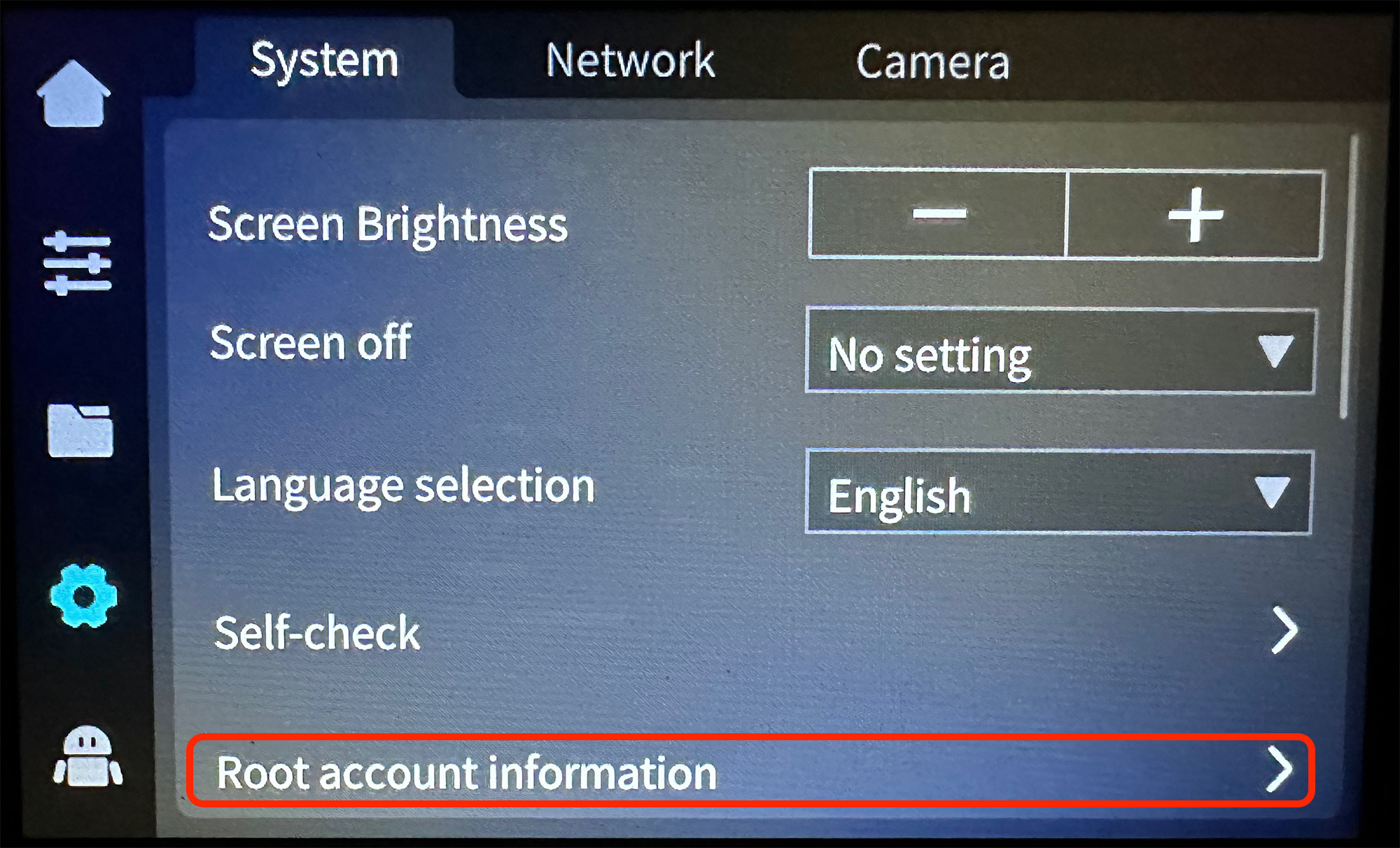
-
Carefully review the disclaimer, check the agreement box, wait 30 seconds and click on
OKbutton: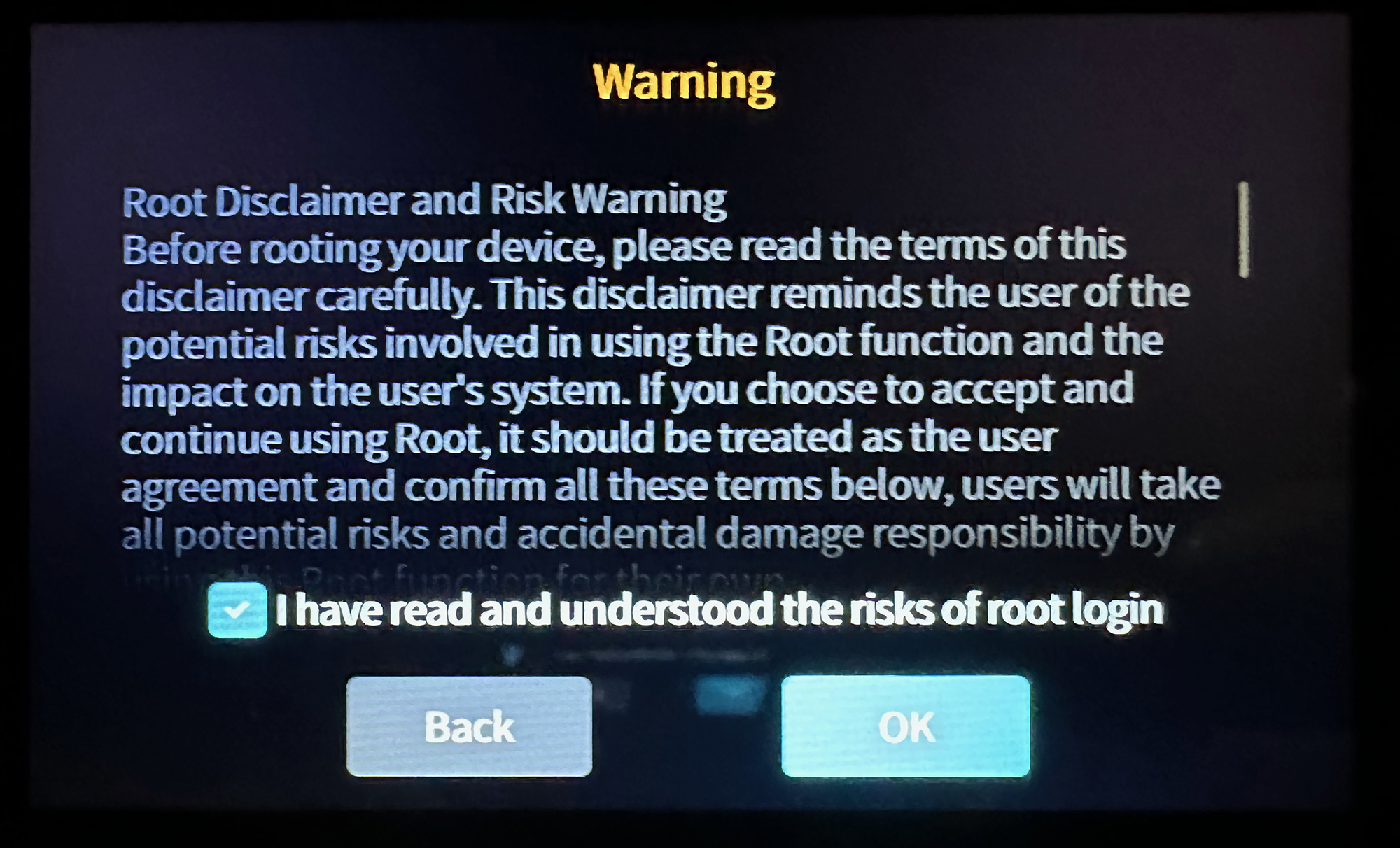
-
Root access is now enabled, you can click on
OKbutton: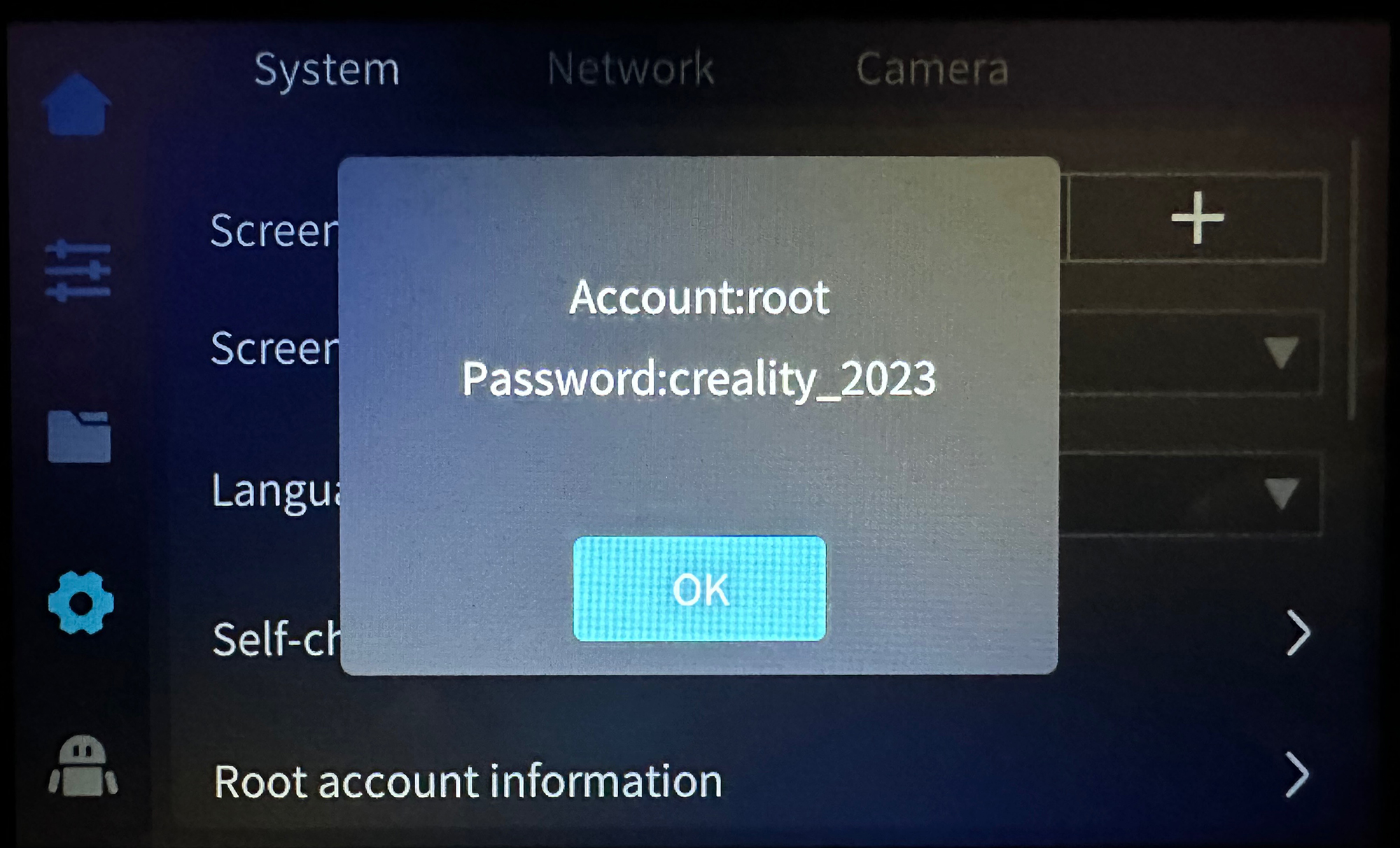
-
You can now connect via SSH with:
- User:
root - Password:
creality_2023
- User:
This page is adapted from Guilouz/Creality-Helper-Script-Wiki (original page).